Lesson 1 of 19 · 7 min read
Map the execution loop behind a coding agent
You already use a coding agent. Trace where model intent becomes tool execution, observation, and verified repository state.
Course syllabus · lesson 1 of 19
In this lesson
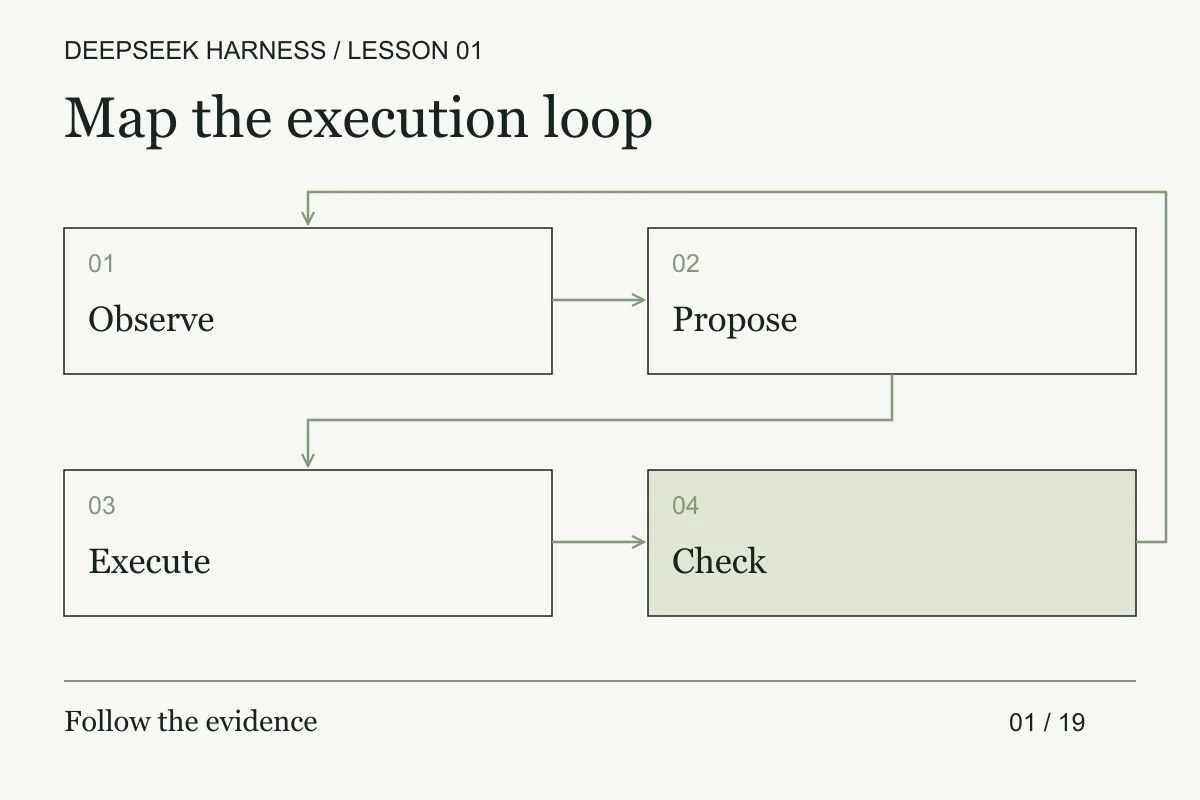
Codex and Claude Code users already know the visible loop: ask, inspect, patch, and test. The part worth studying is the runtime between those verbs: which component selects a tool, which policy permits it, and what evidence returns to the next model turn.
DeepSeek Harness makes that boundary inspectable. It gives a model access to tools, executes permitted actions, and returns observations so the model can decide what to do next. The test result becomes part of the next request, but the harness still does not make the result trustworthy for you.
This series uses DeepSeek Harness, the official open-source project whose command is dsh. It assumes you can already operate a coding agent and review a diff. The work here is comparative and architectural: identify the runtime boundary, inspect its capabilities, and decide what evidence is strong enough to keep.
Trace one known failure
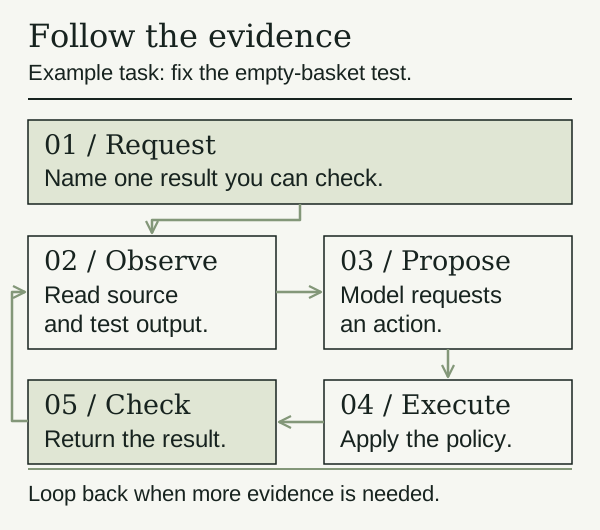
Use the empty-basket case only as a small fixture. A useful agent run starts with the actual source, failure output, and acceptance check. Your job is to trace how those facts move through the runtime before you allow an edit.
Walk through the loop
Illustrative example. Nothing runs in your workspace and no model is called.
Step 1 of 5 · You
Request
Fix the empty-basket test. Read the source and failure before editing.
Task: an empty basket should total 0.
In DeepSeek Harness, plugins supply capabilities such as model access, tools, sessions, and the agent loop. Cordis manages their composition and dependencies. The architecture documentation describes these responsibilities separately, which makes the runtime useful to study when you want to change how an agent works.
A session holds the conversation. A tool is a callable operation, such as reading a file or running a command. The loop connects the model's requests to those operations and feeds their results back. A failed command is an observation too. Treating failure as success would leave the next decision based on false evidence.
Give it an outcome you can check
Use a prompt like this with a disposable copy of a repository that has an empty-basket test. The file and test names should come from that repository.
Find the test for an empty basket and explain why it fails.
Before editing, show me the relevant function and failure output.
After I approve the change, make the smallest fix and rerun that test.
Report the command, exit code, and files changed.
Do not commit or push.
This is an example task brief, not a permission configuration. Actual restrictions come from the environment and the active policy. Do not rely on prompt wording to protect files or credentials.
The useful result is a patch with evidence you can inspect. Compare its diff with the request. Check that the reported test really ran, and consider whether a nearby case could still fail. One passing test only supports the behavior that test exercises.
Build a trace you can replay
The loop becomes much easier to review when every transition has an owner and an identifier. For one run, record a compact trace with these fields:
sessionIdandturnId, so you can place the event in the conversation.toolCallId, tool name, normalized arguments, and the active policy decision.- workspace revision or file digest before the call and after a mutating call.
- observation type: command output, file content, test result, policy denial, timeout, or model claim.
- the next state: waiting for approval, ready for another model turn, failed, or complete.
Keep three kinds of statements separate in the trace. An observation is something the runtime returned. A derived fact is something you calculated from observations, such as “the diff contains one file.” A model claim is an explanation that still needs checking. This classification prevents a confident summary from becoming the only record of what happened.
Use the trace to test a failure path before you trust the happy path. Take the empty-basket fixture and inject a tool timeout after the model has proposed the repair. The expected result is a visible failed call, no claimed test pass, and no transition to “ready to commit.” Then inject a successful read followed by a failed test. The agent may continue investigating, but the host must not turn the failed test into acceptance.
Your advanced checkpoint is a table with one row per transition. For each row, answer: who produced it, what input it consumed, what side effect it could have caused, and which later check can confirm it? If you cannot answer those questions, the run may still be useful for exploration, but it is weak evidence for a change.
When the extra machinery helps
A harness earns its place when the task needs several observations. Tracing a test failure, checking call sites before a rename, or inspecting a repository's structure all require information beyond the first prompt. A short explanation of code you have already pasted may need far less machinery.
My interest in DeepSeek Harness is the ability to inspect those decisions in the runtime and change the composition. That is an engineering reason to try it. It does not establish that its default agent will solve your repository's tasks better than another tool.
Before you move on
Try it in your workspace
Trace one known failure through request, model decision, tool call, observation, and verification. Record which runtime owns each transition and where your current agent setup hides it.
Keep a short note of what you tried, what passed, and what you still need to check.
0 of 3 checked.
Saved in this browser when storage is available. Uncheck any item to revisit it. This is your own record, not an assessment.