Lesson 10 of 19 · 10 min read
Teach DSH the rules of your project
Build a small documentation workspace, add nested instructions and a reusable skill, then verify which guidance the agent actually loaded.
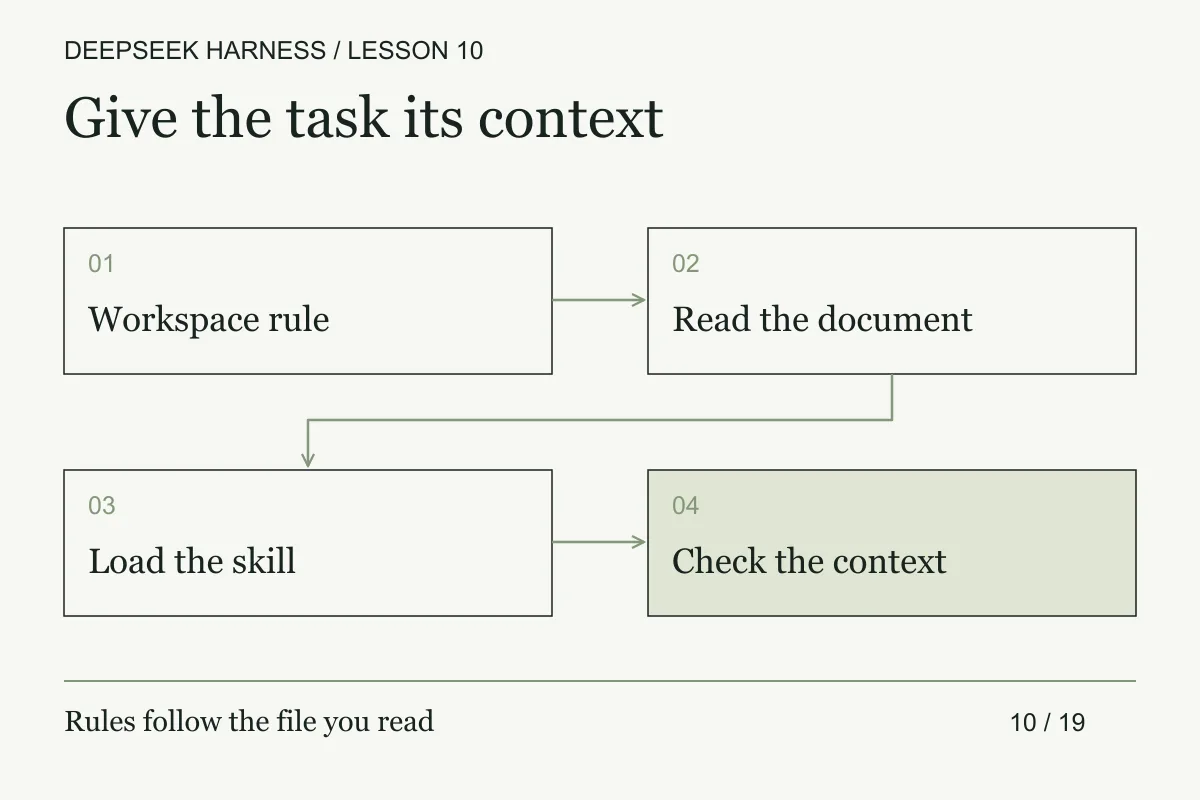
Course syllabus · lesson 10 of 19
In this lesson
Experienced agent users know that “follow our conventions” is still underspecified. Put each rule at the narrowest scope that owns it, then verify that the runtime loaded it. A file called AGENTS.md is a useful input, not evidence by itself.
The final six lessons build one documentation workbench as a small reference architecture. You will separate project rules from directory context and task skills, then add recovery, a real tool, a copied preset, model routing, and a reviewed repair. The local exercises need no provider key. Optional Harness sessions use your configured, authorized models.
Prerequisites
Complete the first run and the working method. Have Node.js 20 or newer available. Use a disposable directory outside your real repositories and select a Standard/full composition that includes file tools, agent instructions, and filesystem skills. A stripped-down preset may omit those capabilities.
What you will build
You will make a review follow two scopes of guidance and one reusable skill. By the end, you should be able to explain which rule belongs to the whole project, which belongs to the documentation folder, and which should load only for a review task.
Download the complete workbench ZIP, extract it, and open its deepseek-workbench directory. The archive includes the hidden .agents directory. Keep an untouched extraction for comparison; you will reuse the working copy through lesson 15.
Run these commands inside the extracted directory:
node --test check-doc.test.mjs recovery.test.mjs workflow.test.mjs
node check-docs.mjs
The tests should pass. The document command should fail with exit code 1: docs/workflow.md has a placeholder and no Recovery heading. That is the task you will repair later. The passing tests confirm the local examples recognize their known fixtures; they do not report a live DSH run.
Practice: load the right guidance
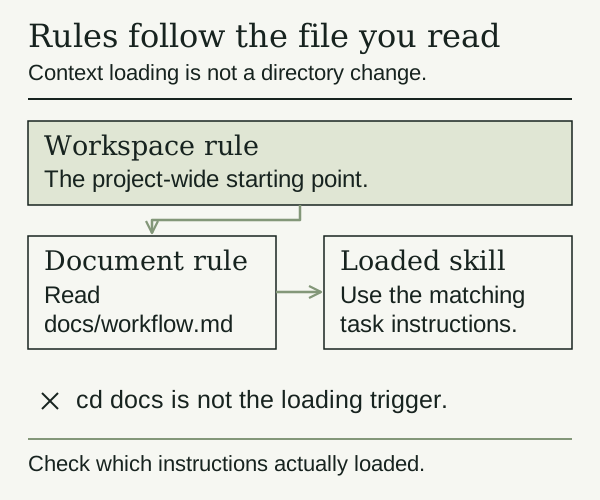
Read the supplied workspace instructions and documentation instructions. The root limits editing and external actions. The nested file requires findings with paths and headings or line numbers, then a question a new reader might still have.
Choose the extracted directory as your Harness workspace. Start a new session and use this prompt:
Read AGENTS.md, then use the structured read tool on docs/workflow.md.
Load the docs-review skill if your composition exposes it.
Name the instructions and skill you actually loaded; do not infer that
from filenames alone. Review the document without editing.
Cite paths and headings or lines. Separate structural findings from
command accuracy and wording preferences. End with a reader's question.
Do not install, access credentials, make network requests, commit, or deploy.
Inspect the tool calls and context your UI exposes. Did it read the actual document? Did it load the skill body? Can you match its finding to the placeholder and missing section? If the session cannot show that evidence, record the uncertainty rather than accepting its claim that it followed every instruction.
According to the instruction plugin, successful structured read, write, and edit calls can trigger nested discovery. Running cd docs inside a shell does not trigger the same path. Instruction refresh is tied to touches/resume behavior, not a continuous watch of every file.
Test instruction precedence with a negative case
Instruction discovery is only useful if you can tell which rule affected the run. Build a small matrix with rows for the workspace rule, a nested folder rule, the skill procedure, the session prompt, and the tool policy. For each row, record its scope, the behavior it asks for, and the evidence the agent gave that it loaded or followed it.
Add one deliberate conflict in the disposable lab. For example, let the broad rule request a read-only review while the nested rule permits edits only under docs/. Ask for an edit under src/ and another under docs/. The expected behavior should come from the applicable scope and policy, not from whichever sentence appears last in the chat. If the runtime cannot show precedence, mark the result unknown and do not use the conflict as a production control.
Keep facts, procedures, and capabilities separate. A project rule can state that tests are required. A skill can describe how to inspect the test command. The tool or policy decides whether the agent can run it. If one file tries to do all three, a change to documentation can silently change authority.
Test missing and malformed guidance too. Rename the skill directory, break its frontmatter, or place the rule above the intended workspace, then verify the agent reports the missing procedure instead of inventing one. Restore the fixture from a known copy and confirm the original evidence returns. This negative case is more informative than a successful discovery message.
Break and recover
Open .agents/skills/docs-review/SKILL.md in your editor. Its required frontmatter names the skill and describes when it helps:
---
name: docs-review
description: Review the workbench documentation for a runnable example and a safe recovery step.
---
In your disposable copy, temporarily remove the description field. Ask for the skill again and inspect the available catalog or warning. Restore the field, let the catalog refresh, and load the skill again. Do not confuse a previously loaded body in the conversation with a valid current catalog entry.
The filesystem skill plugin scans one directory level for skills; it does not recursively discover arbitrary nesting. Invalid frontmatter can remove a skill from discovery with a warning. If restoring the file does not recover it, check the selected workspace, discovery root, and loaded composition before changing anything else.
Make it yours
Replace the nested rule with one real requirement from your work: an accessibility note for a component, a rollback step for a runbook, or an example for a public API. Keep a reusable review procedure in the skill and local project facts in AGENTS.md. Ask the agent to apply the new rule to the same document and compare its findings.
These instructions guide behavior; they are not a sandbox. The disposable workspace and tool permissions still matter.
Completion check
- You can identify the workspace rule, folder rule, and loaded skill separately.
- The review cites a real finding in
docs/workflow.mdwithout editing it. - You observed the missing-skill failure and restored discovery.
- Your own rule changes the review in a way you can explain.
- You recorded anything the UI could not verify in
checkpoint.md.
Next, continue a session safely when its last action has an uncertain outcome.
Before you move on
Try it in your workspace
Place one rule at project, directory, and task scope. Ask the agent to report the loaded composition, then compare that report with the files and behavior you can verify.
Keep a short note of what you tried, what passed, and what you still need to check.
0 of 3 checked.
Saved in this browser when storage is available. Uncheck any item to revisit it. This is your own record, not an assessment.