Lesson 14 of 19 · 11 min read
Run two reviews without losing control of the task
Build a bounded workflow with separate structure and example reviewers, choose configured model routes, and stop incomplete results before they become an edit.
Course syllabus · lesson 14 of 19
In this lesson
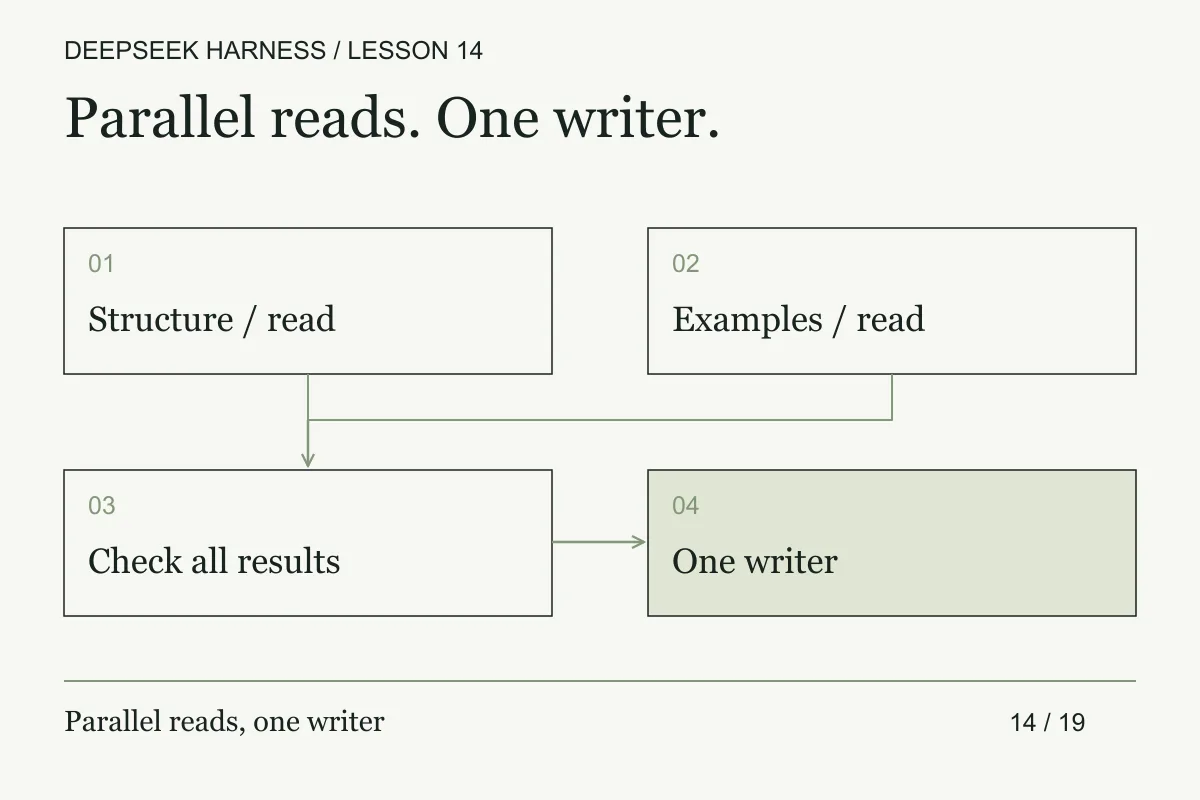
Two agents can produce twice the text and no clearer decision. For an experienced agent workflow, the design work is in the contracts: give each reviewer a different question, limit authority, bound the result, and decide in advance what happens when one returns nothing.
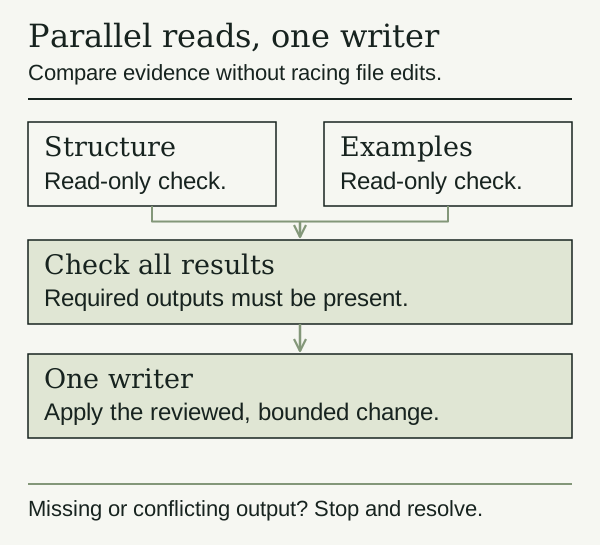
Here the structure reviewer checks headings and placeholders. The example reviewer checks whether the documented command actually exists. Both read the same tiny project, return role-specific evidence, and have no permission to edit it.
Prerequisites
Read the orchestration lesson and use the workbench archive. Local tests need Node.js only. A live run additionally needs a composed workflow tool, its engine, a compatible subagent backend, and authorized provider/model routes. If any are missing, finish the fixture exercise and record the live run as not performed.
What you will build
You will inspect a real workflow body, test it with fake hooks, and optionally submit that same body to Harness. It starts two read-only reviews, preserves each role's result, and stops if a result is null, empty, or not text. Even complete output requires a person to check the findings before approving a writer.
This small workflow teaches the mechanics. In ordinary use, the workflow tool documentation recommends plain subagents for one or two simple delegations unless a workflow is explicitly wanted. More orchestration is not automatically better.
Practice: inspect the body and choose your routes
Open workflow.body.js. It is a plain JavaScript body with top-level await, not an exported module or a standalone Node script. The engine supplies agent, parallel, phase, and args.
The two starts use this supported hook shape:
agent(args.prompts[role], {
  label: role,
  provider: args.routes[role].provider,
  model: args.routes[role].model,
})
The runtime supports label, phase, schema, provider, and model here. Do not add effort, isolation, or agentType: those options are not supported by this engine. The Host's subagent backend choice is separate from the child model's provider/model route.
Open workflow.args.json. Its REPLACE_ values deliberately cannot run. Choose one of these arrangements and write down why:
- Use the same verified route for both roles to learn the workflow without changing model choice.
- Use different authorized routes because you want to compare how they handle distinct review responsibilities.
Copy actual provider and model IDs from your configured deployment. Do not substitute a display name or invent a provider ID. OpenCode Go is the setup example for this course, but a separately configured DeepSeek provider remains a separate route. A model name does not prove where its request is sent.
Check the deployment's routing policy and backend support. The subagent model-selection documentation describes opt-in allowed routes and policy captured for a session; it is not a blanket promise that any workflow/backend accepts any model. OpenCode Go also documents session-identification requirements and Harness adapter caveats. Confirm the actual route before claiming compatibility.
Practice: test locally, then decide whether to run live
Run:
node --test workflow.test.mjs
node prepare-workflow.mjs
The tests run the actual downloaded body with fake hooks and fixture-only routes. They check overlapping starts, role mapping, missing results, placeholder rejection, and infrastructure rejection. They do not run Harness, enforce its engine limits, test cancellation, or contact a model. The preparation command only prints JSON containing meta, script, and args; it submits nothing.
Before an optional live run, inspect your copied preset's existing engine configuration. Our recommended exercise limits are maxConcurrentAgents: 2 and maxTotalAgents: 4. The engine supports these fields; its defaults are different. workflow-config.example.yml is a composition excerpt, not a universal patch file. Update existing rows rather than adding a second engine instance. Ask your deployment maintainer if you cannot verify that composition.
Review the printed JSON and prompts. In a new workbench session, explicitly ask DSH to execute that JSON through its workflow tool, with no edits. This is a live model operation and can consume provider allowance. Inspect the actual tool call; do not assume a model preserved the supplied arguments perfectly. Record runId, agentsStarted, configured routes, returned findings, and any error in results.md.
Give the join a contract
The two reviewers need more than different prompts. Give each one a role id, the fixture revision, allowed paths, a result schema, and a deadline. A valid result can be small:
{
  "role": "structure",
  "revision": "<fixture-revision>",
  "status": "complete",
  "findings": [{"path": "docs/workflow.md", "claim": "<checkable finding>"}]
}
The parent should reject a result whose role does not match the requested role, whose revision is stale, or whose finding points outside the assigned workspace. Preserve the rejected payload for diagnosis, but do not pass it into a writer prompt as trusted evidence.
Define the join policy before the live run. If both roles are required, a null, timeout, or infrastructure error moves the workflow to needs-review. If one role is optional, say what evidence that role was supposed to provide and how the host will compensate. This prevents a partial review from looking complete because the other worker returned quickly.
Run these cases locally with fake hooks and assert the exact final state. Then inspect the live event stream for the same role ids and statuses. A phase message can show that the workflow advanced; it cannot certify that the inputs were current or that the findings were true.
Break and recover
Keep the placeholders unchanged for one local test: it should refuse to start. Restore authorized IDs only for a deliberate live run. The fixture tests also replace one child result with null; the body must return stop-and-inspect-failure, retaining which role failed.
Upstream ordinary child failures can resolve to null; hook misuse, caps, and infrastructure errors have different failure paths. A phase label reports progress, not a dependency barrier. A cancelled or failed workflow is not a completed partial review. Its event history is observational, not a durable job you can restart halfway through. Inspect outcomes before rerunning; never turn an automatic retry loop loose on a paid route.
Make it yours
Swap the example-review prompt for accessibility, test coverage, or runbook recovery. Keep roles independent and read-only. Do not add a third reviewer until you can name a separate question it will answer. Preserve one writer after the review checkpoint; a shared checkout is not automatic file isolation.
Completion check
- Both role routes are explicit, authorized, and recorded, or the live run is marked not run.
- Local fixtures block every incomplete result combination they define.
- You verified the configured live caps before any provider run.
- Findings are checked against files, not accepted because two strings returned.
- No worker edited the project and no incomplete run authorized an edit.
Next, finish the workbench capstone and decide which parts deserve a place in your own workflow.
Before you move on
Try it in your workspace
Run two independent read-only reviewers against the same fixture. Preserve role-specific outputs, reject incomplete results, and approve one writer only after a human checks the evidence.
Keep a short note of what you tried, what passed, and what you still need to check.
0 of 3 checked.
Saved in this browser when storage is available. Uncheck any item to revisit it. This is your own record, not an assessment.