Lesson 16 of 19 · 9 min read
Build a typed tool the agent can reason about
Move past a startup plugin. Register a typed tool, follow its execution pipeline, and add a policy boundary before the model can call it.
Course syllabus · lesson 16 of 19
In this lesson
The startup module from the extension lesson proved the seam, not the design. A production-minded plugin needs a tighter contract: it tells the model what arguments it accepts, validates them before execution, and returns a value the rest of the harness can inspect.
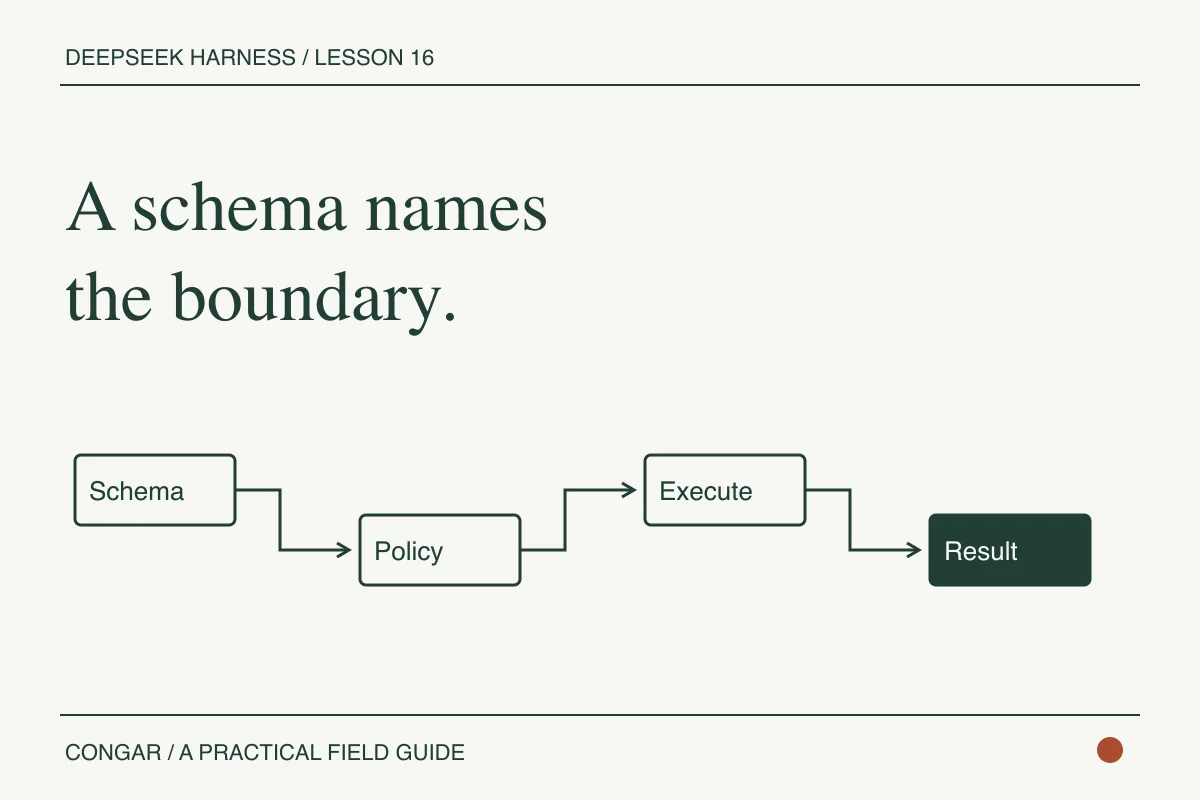
DeepSeek Harness's defineTool helper builds that contract. The tool registry sends its name, description, and parameter schema into prompt assembly. The execution body still runs in your process, so the schema is not a sandbox and the model's description is not a permission policy. Keep those boundaries separate when you review the implementation.
Register one real tool
Continue with the source checkout and overlay from the first plugin lesson. Replace the console-only module with this file. It follows the official defineTool shape and keeps the example deliberately narrow.
import { readFile } from 'node:fs/promises'
import type { Context } from '@deepseek-ai/cordis'
import { defineTool } from '@deepseek-ai/dsh-tools'

export const name = 'tutorial-read-file'
export const inject = ['tools']

export function apply(ctx: Context) {
  ctx.tools.register(defineTool({
    name: 'read_file',
    description: 'Read a text file from the selected workspace.',
    parameters: {
      path: {
        type: 'string',
        required: true,
        description: 'An absolute path inside the selected workspace',
      },
      offset: { type: 'number' },
      limit: { type: 'number' },
    },
    output: {
      schema: { type: 'string' },
      render: (_args, value) => [{ type: 'text', text: value }],
    },
    async execute(args, exec) {
      return readFile(args.path, {
        encoding: 'utf8',
        signal: exec.signal,
      })
    },
  }))
}
The code declares path, offset, and limit, but this small version only passes path to readFile. Add bounded slicing only after you have decided how to validate the path and the numeric limits. Do not expose arbitrary filesystem access to an untrusted model just because the argument is typed.
The exec.signal matters when a user cancels a turn. A tool that ignores it can keep reading or waiting after the agent has stopped. The official tools reference describes cancellation as cooperative. The body has to observe the signal for cancellation to reach the underlying operation.
Know the pipeline you are extending
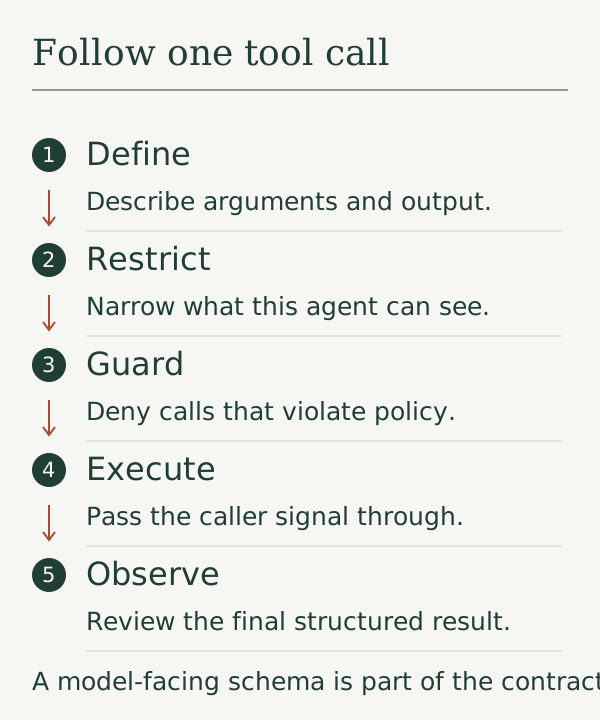
The registry validates model arguments before it calls execute. The call then moves through tools/pre-execute, registered guards, tools/execute, tools/post-execute, the definition's finalization step, and an observe-only tools/result event. A plugin can wrap or inspect these stages without putting its policy inside the tool body.
Use ctx.tools.restrict(filter) when one agent should see a smaller set of tools. Restrictions intersect, and disposing the scope lifts that restriction. Use ctx.tools.guard(guard) for a synchronous monotonic rule. A returned reason denies the call, and a later listener cannot turn that denial back into permission.
That split is useful in practice. The tool owns its input and output contract. The policy layer owns questions such as whether this workspace is read-only. The host still owns the operating-system boundary, credentials, and filesystem permissions.
Try the tool in a controlled task
Restart the Web profile with the overlay, then ask for inspection only:
Use read_file to inspect the package manifest and the test file for the basket calculation.
Report the relevant paths and the boundary case you find.
Do not edit files, run install commands, or read outside the selected workspace.
Check the terminal and the session events. Confirm the tool name, arguments, result, and any policy decision. Then open the referenced files yourself. A model saying it read a file is not evidence that the call succeeded.
Treat the tool as an API boundary
The schema is the part the model can see. The implementation still needs the same discipline as an internal service. Validate inputs again at the execution boundary, normalize paths before policy checks, and return a stable result shape for success and failure. A good result tells the next turn what happened without asking it to parse a human sentence.
Use a failure taxonomy that the caller can act on:
invalid-input    The request did not satisfy the schema or domain rules.
denied           The request was valid but outside the active policy.
not-found        The target was absent at execution time.
cancelled        The operation stopped before completion.
failed           The operation ran and returned an execution error.
ok               The operation completed and includes checked output.
Do not map every error to failed. A denied request should not trigger a retry, and a cancelled request should not be reported as an empty result. If the operation can mutate a file, include a before-and-after digest or a clear “no write occurred” marker. That makes an uncertain report easier to inspect later.
Test the boundary without a model. Feed it extra fields, missing fields, paths outside the fixture, a missing document, a cancellation signal, and a fake downstream failure. Then run one integration task and compare the observed call arguments with the schema you reviewed. Contract tests catch drift when a plugin implementation changes while its displayed description stays the same.
The tools package also supports native, ptc, and both presentation modes. native exposes the visible schemas directly. ptc presents a generated SDK behind run_code, and both keeps both paths. PTC requires a composed code runtime, so treat it as a separate experiment after the native tool works.
Next, see what happens when the conversation grows past a comfortable context size.
Before you move on
Try it in your workspace
Review the typed tool as an API boundary. Test schema validation, policy rejection, cancellation, structured output, and the difference between model-visible description and actual authority.
Keep a short note of what you tried, what passed, and what you still need to check.
0 of 3 checked.
Saved in this browser when storage is available. Uncheck any item to revisit it. This is your own record, not an assessment.