Lesson 17 of 19 · 9 min read
Keep long sessions inside the context window
Learn how DeepSeek Harness reduces old session history, prunes oversized tool results, and keeps the durable event log separate from the model's current view.
Course syllabus · lesson 17 of 19
In this lesson
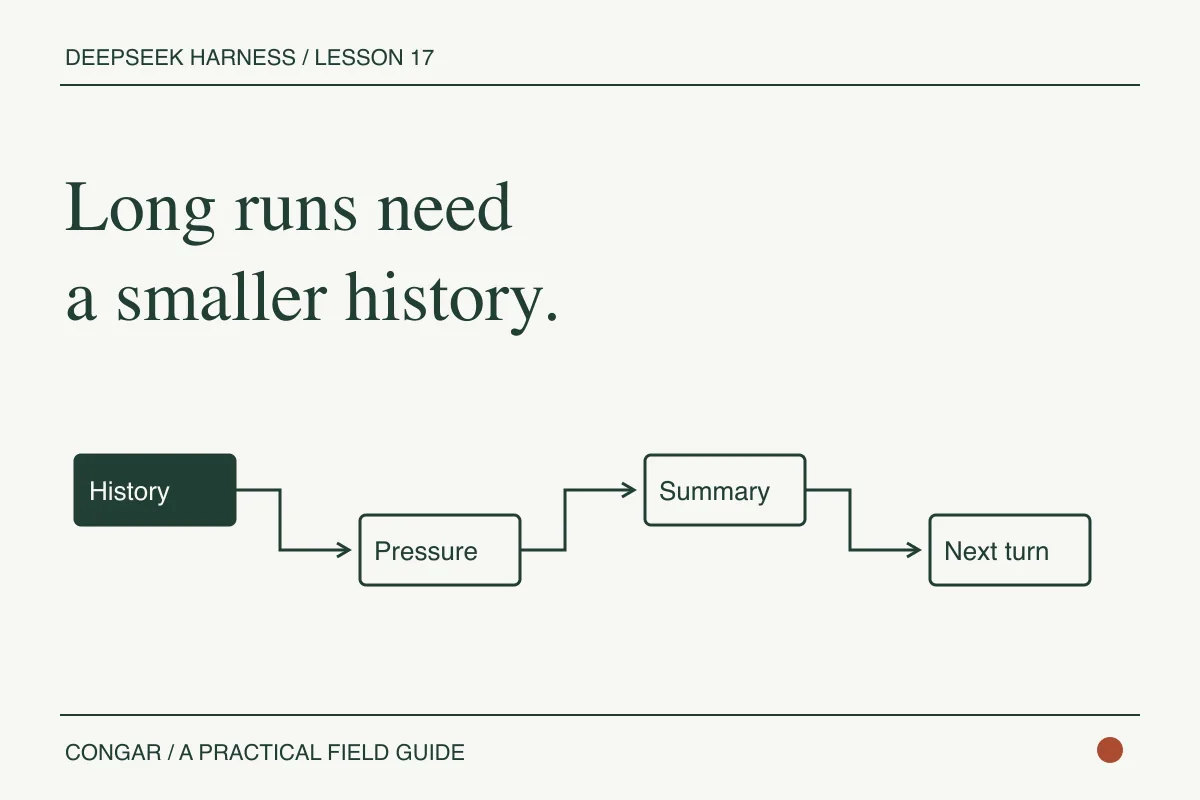
Long coding sessions accumulate command output, file excerpts, tool calls, and model replies. Anyone who has run a real Codex or Claude Code task has seen the cost: context grows while the important invariant gets harder to find. DeepSeek Harness treats compaction as a separate capability that can reduce the model-visible history while preserving the session's event log.
The current Standard preset loads automatic compaction, a /compact command, and a tool-result pruner. Its basic backend can check pressure before a step, respond to a provider-reported context overflow, and summarize an eligible range. Treat those as implementation details to inspect in the checked-out preset, not guarantees to carry into another agent runtime.
Separate the log from the surface
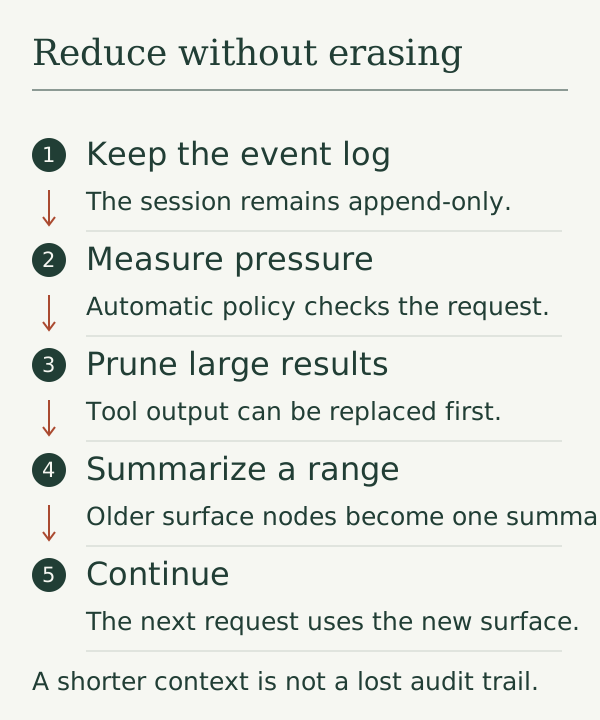
The session remains an append-only event log. Compaction adds bookkeeping events and a replacement summary. Older surface nodes become shadowed for the next request, but they are not silently rewritten into a shorter fake history.
That distinction changes how you verify a run. The model may see a summary that says a test passed. You still need to run the test or read its output outside the model's summary before you trust the claim.
Inspect the Standard composition
In the DeepSeek Harness source checkout, open apps/cli/config/agent-presets/standard/agent.cordis.yml. The compaction group currently looks like this:
- id: compaction
  name: cordis:group
  group: true
  isolate:
    compaction: true
    toolResultPruner: true
  config:
    - id: compaction-basic
      name: '@deepseek-ai/dsh-compaction-basic'
    - id: command-compact
      name: '@deepseek-ai/dsh-command-compact'
    - id: tool-result-pruner
      name: '@deepseek-ai/dsh-compaction-tool-result-pruner'
      config:
        thresholdChars: 8192
        headChars: 4096
        tailChars: 1024
The threshold is a configuration detail, not a promise about token count or provider capacity. thresholdChars measures tool-result text for the pruner. It does not say that every session compacts at the same model context size.
Force a useful checkpoint
Start a Standard session in the disposable practice repository and make several inspection turns. Keep the outputs large enough to make the session interesting, but do not point the agent at secrets or an entire home directory. When the session is idle, run:
/compact
Then ask:
List the files you have actually inspected, the unresolved questions, and the exact command you would run next.
Do not claim a test passed unless the session contains its output.
The manual command is queued against the session rather than racing an active turn. The compaction service can return no result when there is no useful range. It preserves tool-call/result pairing, but it does not promise to retain every complete turn as an indivisible block.
Measure compaction by invariants
Decide what must survive a compacted context before you invoke it. A useful summary preserves the task boundary, current repository revision, files already inspected, edits already made, checks that passed or failed, unresolved questions, and the next safe action. It does not need to copy every old tool output, but it must retain enough provenance to locate the omitted evidence.
Separate three records:
- The durable event log, which should retain the original calls and observations according to your storage policy.
- The compacted model surface, which is a derived view chosen to fit the next request.
- The verification record, which says which checks were rerun after compaction.
If the summary says “tests pass,” ask which command, revision, and exit code support that sentence. If it cannot answer, downgrade the statement to “test status unknown” and rerun the check. A compacted context can preserve a conclusion while losing the detail that made the conclusion credible.
Create a fixture with a long sequence of read-only calls, a deliberate failed check, and one pending edit. Compact it, then ask the agent to list the unfinished work and the last known failure. The expected answer must retain the pending edit and failed check without inventing a completed repair. Repeat with an oversized tool result and confirm that the omitted payload has a reference or digest in the durable record.
Track token pressure and summary size only as diagnostic evidence. A shorter summary is not automatically better if it drops ownership or acceptance criteria. The useful result is a context that leaves the next turn able to choose a safe action and points a reviewer to the source events.
Keep the failure cases visible
An oversized single unit or request envelope cannot always be repaired by surface compaction. A summary can also fail, be cancelled, or fail to persist. The official subsystem reference gives those outcomes separate error categories because the conversation surface and the durable log do not always have the same state after a failure.
For a serious workflow, record the session id, the compaction command, the summary result, and the tests you reran afterward. Compaction buys room for the next request. It does not buy correctness.
Next, make the session durable and resume it after a stopped process.
Before you move on
Try it in your workspace
Force context pressure with noisy tool output. Compare the durable event log with the model-visible summary, then rerun the acceptance check instead of trusting a compacted claim.
Keep a short note of what you tried, what passed, and what you still need to check.
0 of 3 checked.
Saved in this browser when storage is available. Uncheck any item to revisit it. This is your own record, not an assessment.