Lesson 13 of 19 · 10 min read
Make a preset that belongs to you
Copy a working DSH preset, add one deliberate capability, start a new session, and practice recovering a broken composition without changing the shipped original.
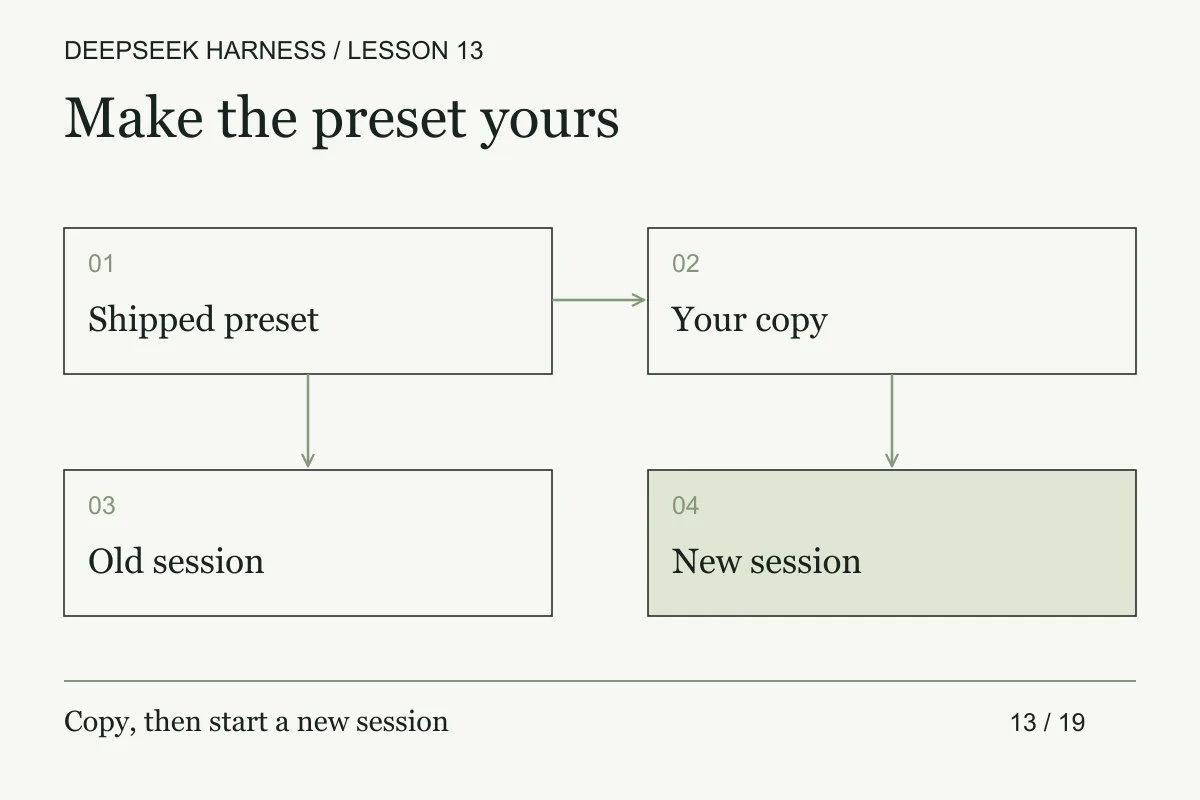
Course syllabus · lesson 13 of 19
In this lesson
Once you have a tool and a review skill, the design question is ownership. A project instruction says how to work here. A skill packages a procedure. A preset chooses the session's composition: the plugins, tools, and prompt capabilities it starts with.
Keep that distinction clear and your custom environment stays maintainable. Otherwise every small preference becomes another unexplained configuration file with unclear provenance and rollback cost.
Prerequisites
Complete the custom-tool lesson. Keep the workbench ZIP available, including plugin.ts and preset-notes.md. Use a Harness Web deployment with preset authoring enabled. If your deployment hides the picker or disallows authoring, the local worksheet is still usable, but the live lab remains unverified.
What you will build
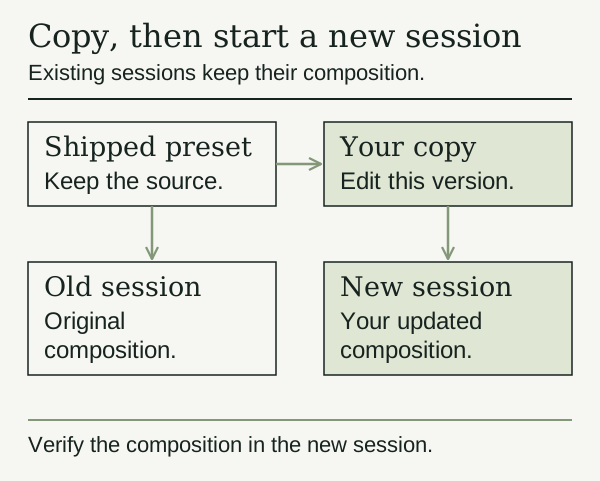
Create an owned preset named docs-workbench, add the tested document tool once, and start a fresh session with it. Then break and repair only that copied composition. The shipped original stays intact.
The preset package documents copy-only authoring. A preset directory contains agent.cordis.yml and may include display metadata, skills, or assets. Your copy receives its own ID and files; it does not automatically track future upstream edits.
Practice: copy first, change one thing
Open Settings → Agent preset. Choose a working Standard/full preset and use its copy action. Enter a unique ID such as docs-workbench and a display name you will recognize. If the ID already exists, inspect that copy or choose another unique ID; copying never overwrites an existing preset.
Use the copied preset's location action to open its files or reveal its path. Record its source, version, location, and intended change in preset-notes.md. Before editing, save the copied agent.cordis.yml as agent.before-customization.yml in a separate backup directory outside every scanned preset root. This baseline does not contain your custom tool. Do not edit the shipped preset. These actions follow the Web preset settings contract; inspect the labels in your version.
For this lab, stop the previous plugin-overlay server after its work is idle, then restart the same source checkout without the lesson 12 tool overlay:
pnpm dsh web
This prevents the example tool from being registered once by the global overlay and again by your preset. Preserve any other launch options your installation requires; do not change its home or credentials.
Inspect the copied composition. Add one plugin row at the appropriate list level, using the absolute path to your extracted file:
- name: /absolute/path/to/deepseek-workbench/plugin.ts
Keep all existing rows and indentation intact. This is an entry in the preset's composition list, not a --patch overlay; do not copy the overlay's outer insert operation here. The plugin requires the tools service, which is why you copied a working full preset. This is a local source-mode module path, not a portable package name. If the runtime cannot resolve it, return to lesson 12's module-loading checks.
Start a new session, choose your copied preset before sending a message, and select the workbench directory. Ask it to call check_doc on docs/workflow.md. Verify the actual call and result. A renamed picker card alone does not prove the tool composition changed.
After that verification succeeds, save the customized agent.cordis.yml as agent.customized-working.yml in the same separate backup directory. Record both backup paths and the successful tool check in preset-notes.md. Keep the original baseline too. Do not begin the failure exercise until this second, known-good customized backup exists.
Version the composition you own
Treat the copied preset like a small product with provenance. Keep the upstream revision, copied revision, local changes, plugin paths, required services, provider references without secrets, and known limitations in the maintenance note. A display name is not enough to identify a composition because two copies can share the same visible label while loading different files.
Before an upgrade, capture a normalized manifest of the preset: ordered composition entries, plugin file digests, skill paths, provider references with secrets removed, and the expected tool list. After the upgrade, compare that manifest with the new copy. Review additions, removals, and order changes separately. A provider label or tool name can stay the same while its schema or policy changes.
Test compatibility with three sessions: a fresh session using the new copy, an existing session using the old generation, and a session that cannot load because one dependency is missing. The first checks the intended new behavior. The second checks that history does not silently change under an active task. The third checks that failure stays local to the broken composition and does not corrupt the preset roster.
Keep rollback copy-only. Restore the known-good customized file, restart the affected process when module bodies changed, and rerun the tool contract test. Do not overwrite the shipped preset to make the error disappear. If the upstream preset adds a capability you do not understand, leave it out until you can state its policy and test its failure behavior.
Break and recover
End active work first. In the disposable copied agent.cordis.yml, temporarily change your added row to malformed YAML, for example an unclosed quoted string. Reload the preset roster. The documented behavior is a broken row with a reason and refusal to start a session from that composition.
Read the reason, then restore the copied preset's agent.cordis.yml from agent.customized-working.yml. Reload the roster, start a new session, and verify check_doc again. Do not use agent.before-customization.yml for this recovery: that would remove the custom tool instead of restoring the working customization. If the error names an unresolved module rather than a YAML parse problem, check the path; those are different failures. Never “repair” the exercise by replacing the shipped configuration or deleting another preset.
A session can switch presets only before it has produced messages or tool calls. Existing sessions keep their composition after that point. Composition-file changes can start a new generation for later sessions, while old sessions continue on the generation they already joined. Edits to imported plugin bodies are not a promise of universal hot reload; restart cleanly when checking that change. Preset lifecycle.
Make it yours
Write one sentence explaining the preset's job. “Review our component documentation with a bounded checker” is easier to maintain than “my best agent.” Keep project-specific facts in the workbench instructions and the review procedure in its skill. Use the preset for the capabilities needed to perform that job.
Record the upstream version you copied and what you changed. After an upgrade, compare the shipped source deliberately. Do not assume your copy inherited fixes, and do not overwrite your changes to chase them.
Completion check
- The shipped preset is unchanged and the copy has a unique ID.
- A new session uses the intended custom tool without duplicate registration.
- You observed and repaired the copied preset's broken-YAML state.
- You can explain why an old session does not switch with the picker default.
- Your maintenance note separates local customization from upstream changes.
Next, run a bounded workflow with explicit model choices for two independent reviews.
Before you move on
Try it in your workspace
Copy a working preset and change one capability. Record provenance, intended ownership, and rollback steps. Verify that existing sessions retain their original composition.
Keep a short note of what you tried, what passed, and what you still need to check.
0 of 3 checked.
Saved in this browser when storage is available. Uncheck any item to revisit it. This is your own record, not an assessment.