Lesson 2 of 19 · 8 min read
Establish a reproducible agent run
Treat the Web UI, provider route, workspace, and session composition as an experiment you can reproduce and audit.
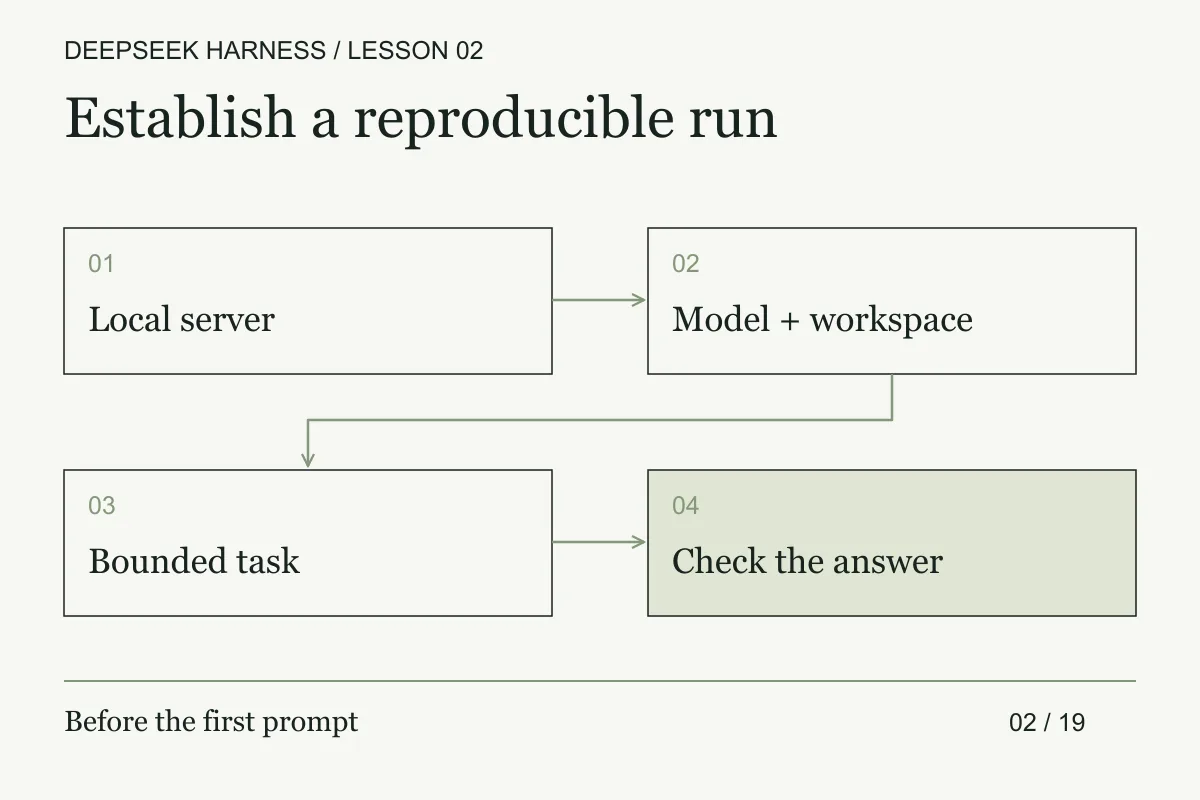
Course syllabus · lesson 2 of 19
In this lesson
Treat launch as an experiment boundary, not as onboarding. The first useful test is whether the composed agent can describe a repository accurately, with paths and evidence you can verify. A wrong explanation costs less to discover before it becomes a wrong edit.
DeepSeek Harness is experimental developer-preview software. Its safety notice says it has not undergone a security audit. Use a disposable VM, container, or dedicated environment with a small practice repository. Keep sensitive files and unrelated credentials out of reach. Approval prompts and sandbox controls do not guarantee isolation.
Establish the run matrix
In the disposable environment, record the Node.js version, checked-out Harness revision, launch command, provider route, model, preset, workspace, and permission mode. Then open a terminal in the practice repository and run the official launch command.
npx @deepseek-ai/dsh web
The default address is http://127.0.0.1:3080. For a local launch, the command opens the browser. You can add --no-open to keep it from doing so. Follow the URL printed by the running process if its configuration differs.
The command above follows the preview's current documentation. It is not a version-pinned installation, and later preview releases can change behavior. This tutorial's instructions were checked against the official documentation on September 13, 2026. The examples are documentation-based, not a report of a credentialed model run.
Connect the model and workspace
Open Settings, then Models. Save a DeepSeek API key, choose a configured model, and select a workspace through Choose workspace. Add the practice directory and select it. A fresh Web UI has no selected workspace, even though the process has a working directory. The Web UI guide explains this first-run sequence.
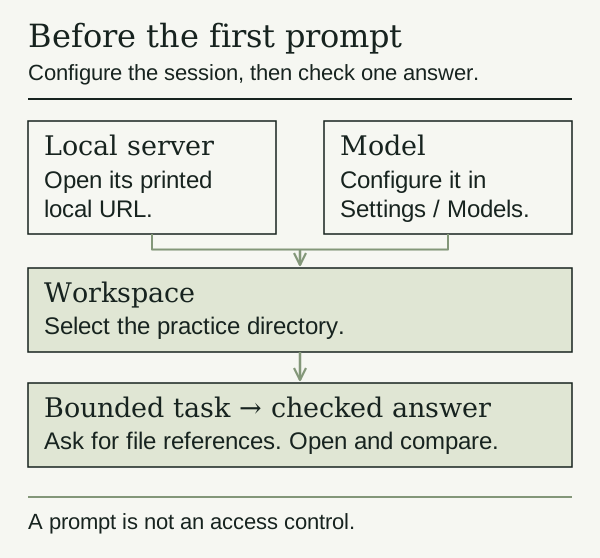
Your provider credential needs access to the model you select. Installing an open-source harness does not grant model access or free inference. For another provider or a company gateway, follow the model configuration guide. It documents built-in providers and custom protocols. It also says OAuth providers such as Codex are not supported in this settings flow yet.
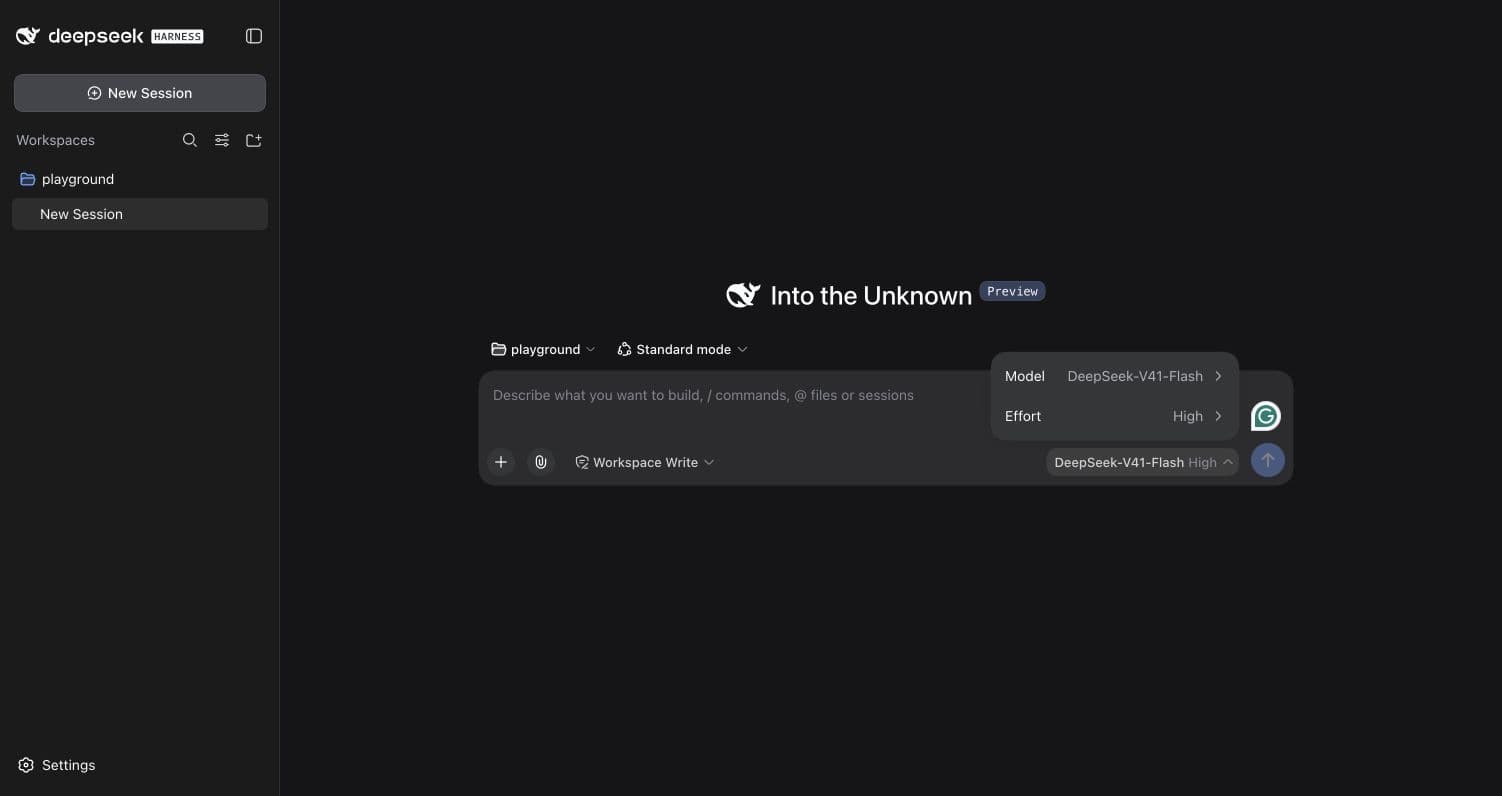
A harness can use more than one provider
In the local environment captured below, the model picker has two groups: DeepSeek with four entries and opencode-go with 27. The selected label is DeepSeek-V41-Flash under DeepSeek. That does not establish that every model uses OpenCode Go, or that any route has made a successful request. We inspected the menu, not private endpoint configuration.
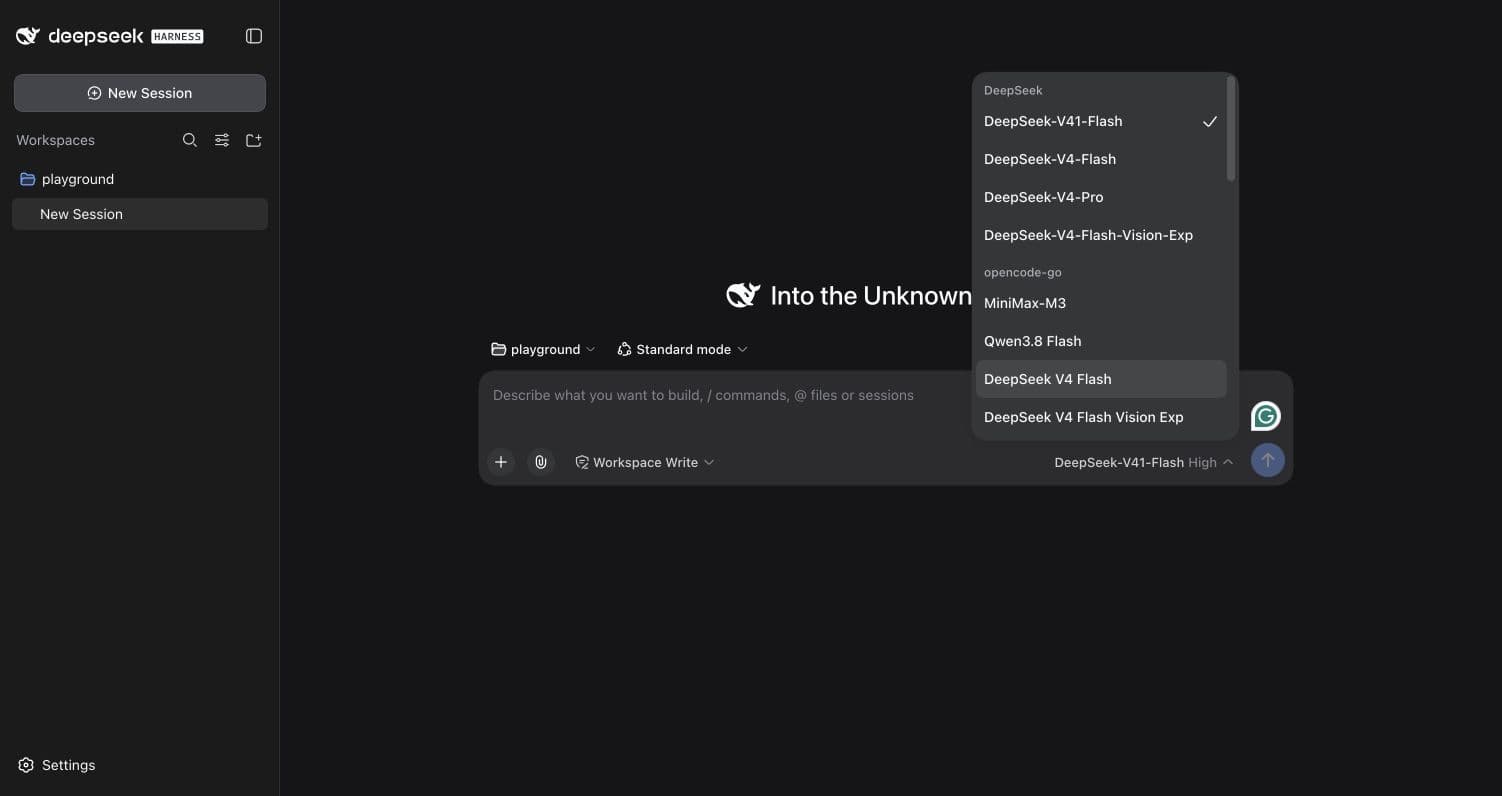
OpenCode Go's documentation describes Go as an optional model provider for OpenCode and other coding agents. It also flags a current DeepSeek Harness compatibility issue: session information reaches Go on some model paths but is missing on others. A populated picker is therefore not a compatibility test. Check that warning against the version and adapter you intend to use before relying on the connection.
Keep the layers separate: DSH manages the agent session and tools; the configured provider supplies model access. The labels above belong to this local installation, not a promise about upstream defaults or the models another installation will show. Part nine covers the additional boundaries needed for a custom environment.
Turn the run into a manifest
The run matrix is more useful when it is a small, durable manifest rather than a note copied into chat. Keep it next to the fixture, outside the repository under test if the agent can edit that repository. A practical starting shape is:
{
  "fixtureRevision": "<commit-or-digest>",
  "harnessRevision": "<version-or-commit>",
  "launch": "<command-without-secrets>",
  "profile": "web",
  "preset": "<observed-preset>",
  "provider": "<observed-provider>",
  "model": "<observed-model>",
  "workspace": "<absolute-path-or-redacted-id>",
  "policy": "<observed-policy>",
  "status": "not-run"
}
Use not-run deliberately. It is better than filling a field with a guessed model, a display label, or a command that was never executed. Add a notes field for version drift and an evidence array for paths to screenshots, terminal output, or checksums. Never put API keys, cookies, or full environment dumps in this file.
Reproducibility has several levels. You can reproduce the source fixture while the provider route has changed. You can reproduce the launch command while the preset has changed. You can reproduce the tool calls while a model response takes a different branch. State which level your experiment supports. “Same prompt” is the weakest level because it leaves most of the execution conditions unspecified.
For the advanced pass, run the read-only repository map twice from the same fixture revision. Compare cited paths, commands, and omissions. If the answers differ, keep both transcripts and mark the result as variable rather than selecting the more plausible one. Then change exactly one condition, such as the preset, and repeat. Your conclusion should identify the changed condition and the evidence it affected.
Ask for a map, then check it
Start a session with this example prompt.
Inspect this practice repository without editing files.
Explain where execution starts and how the tests run.
Cite the files that support your answer.
If you cannot find a test command, say so.
Do not install dependencies, commit, or push.
Open the cited files yourself. Does the entry point exist? Does the suggested test command appear in the repository's configuration? If the answer names something absent, ask the agent to show the evidence it used.
If the composer is unavailable, check workspace selection. If a request fails, check the selected model and provider configuration before retrying. A browser that cannot connect to the printed URL points to a server or networking problem, before the model is involved. Do not paste credentials into chat to diagnose any of these cases.
When the repository map is accurate, use a fresh practice copy for a bounded edit. Review every proposed command and inspect the diff before keeping the result.
Before you move on
Try it in your workspace
Create a reproducible comparison environment. Pin the checkout and launch path, record the provider/model route and composition, then run an inspection-only task and preserve its evidence.
Keep a short note of what you tried, what passed, and what you still need to check.
0 of 3 checked.
Saved in this browser when storage is available. Uncheck any item to revisit it. This is your own record, not an assessment.